
Set up your Wi-Fi
Your apartment already has fiber internet from Quantum Fiber. Nothing to install. You just need to activate it and name your Wi-Fi.
No router needed
Everything is already installed in your closet
1 Gig for $0/month
Included in your media package
No credit card
Not needed for the included plan
About 10 minutes
All from your phone
Before you start, have these ready:
- Your phone
- Your email address
- Your unit number
Part 1: Sign upon quantumfiber.com
- 1
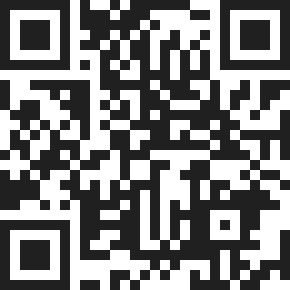
Scan this code, or the QR code on the white Quantum box in your closet. You can also go to quantumfiber.com/instant.
- 2
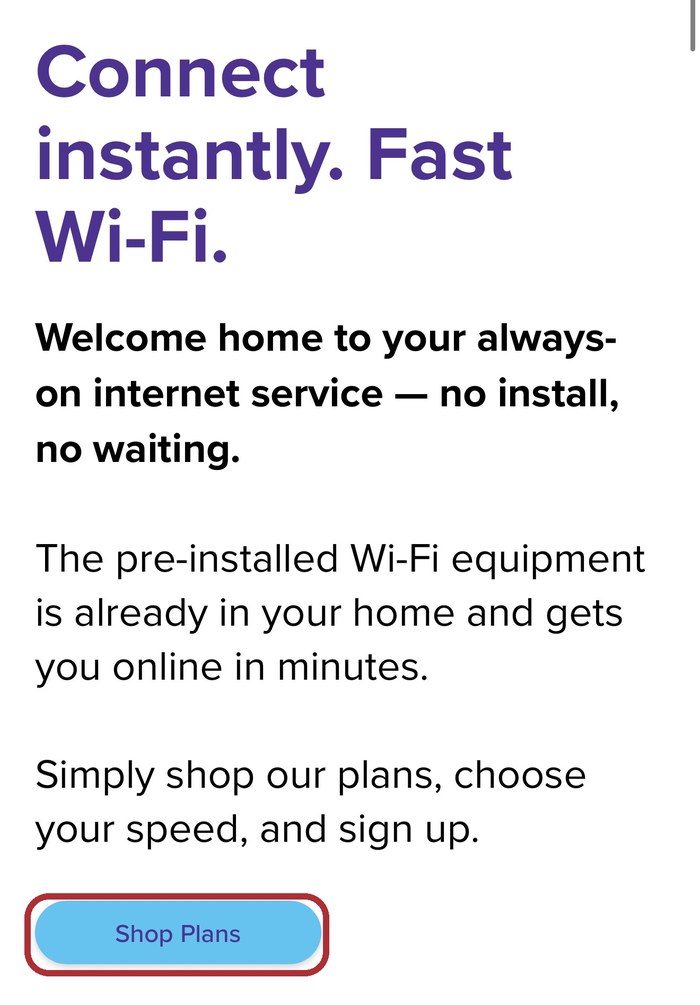
Scroll down and tap Shop Plans.
- 3
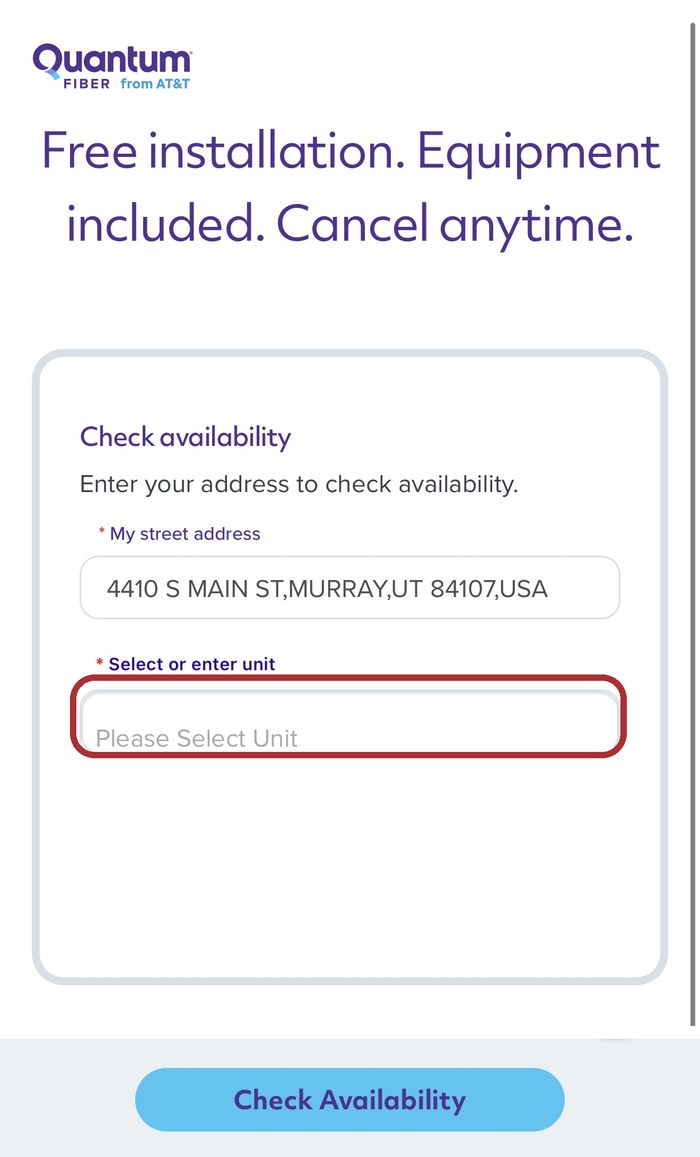
Type the address 4410 S Main St, Murray, UT 84107 and tap it when it pops up. Pick your unit from the list, then tap Check Availability.
- 4
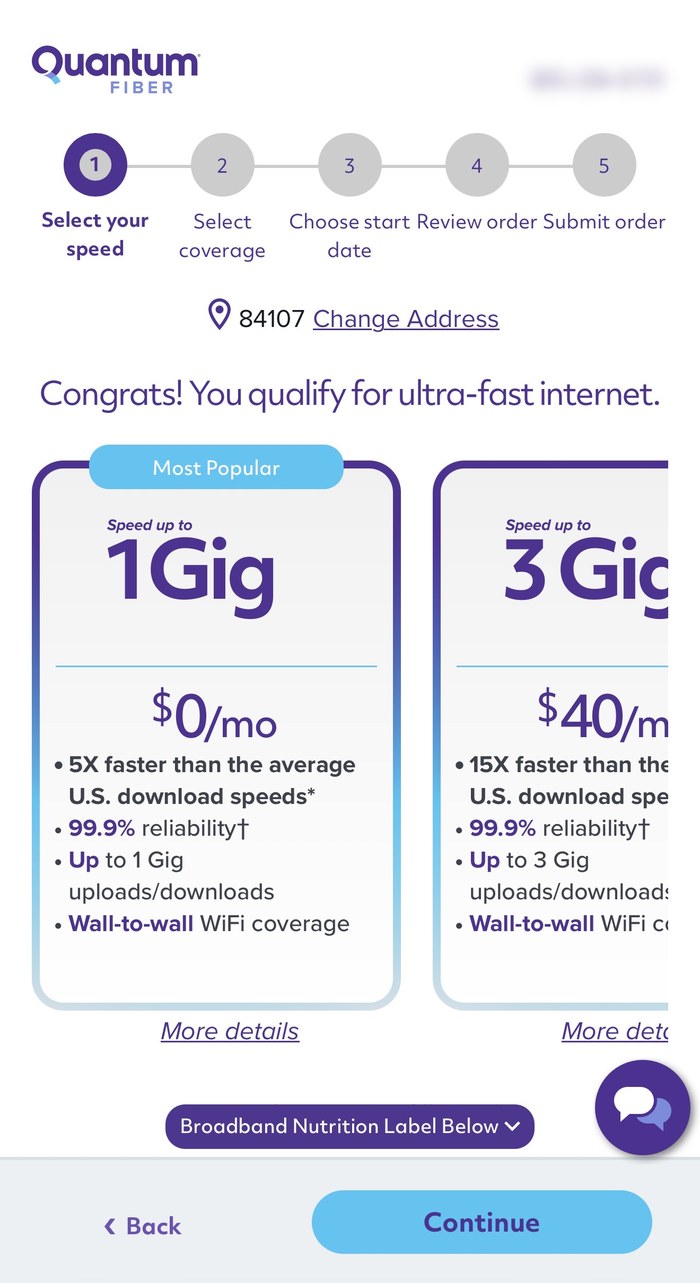
Tap the 1 Gig: $0/mo plan to make sure it's selected, then tap Continue.
1 Gig is included. Faster plans cost extra.
- 5
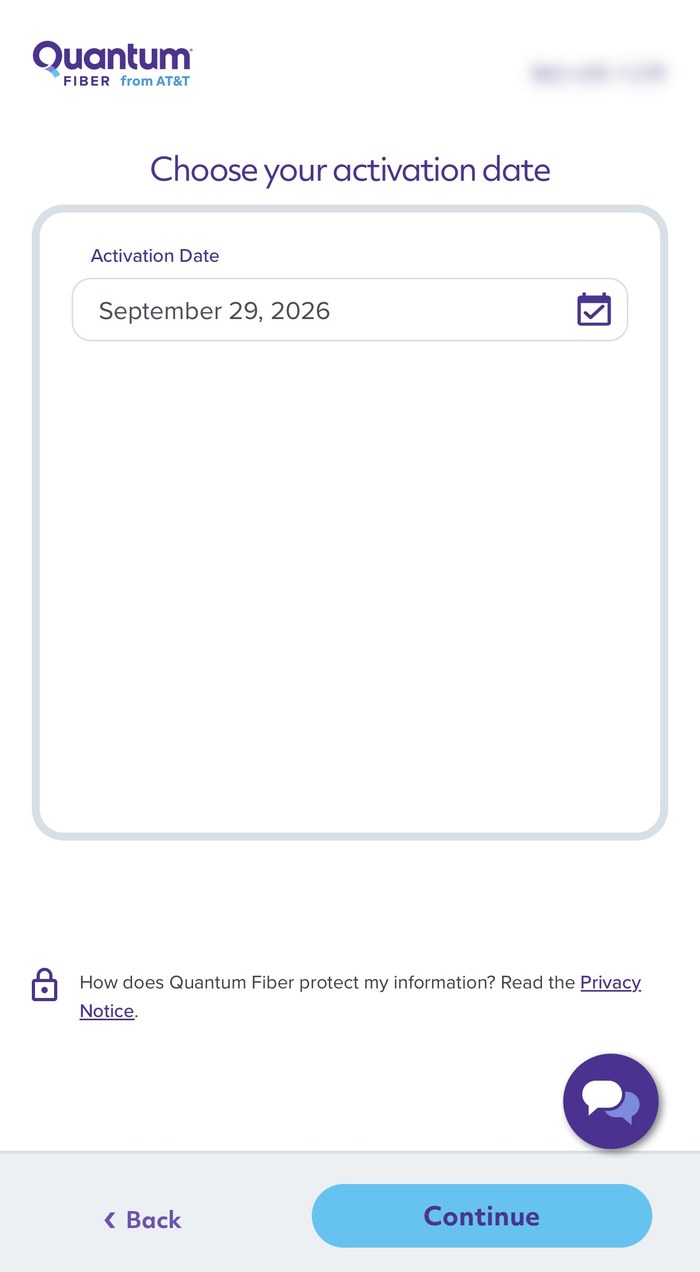
Leave today's date and tap Continue.
- 6
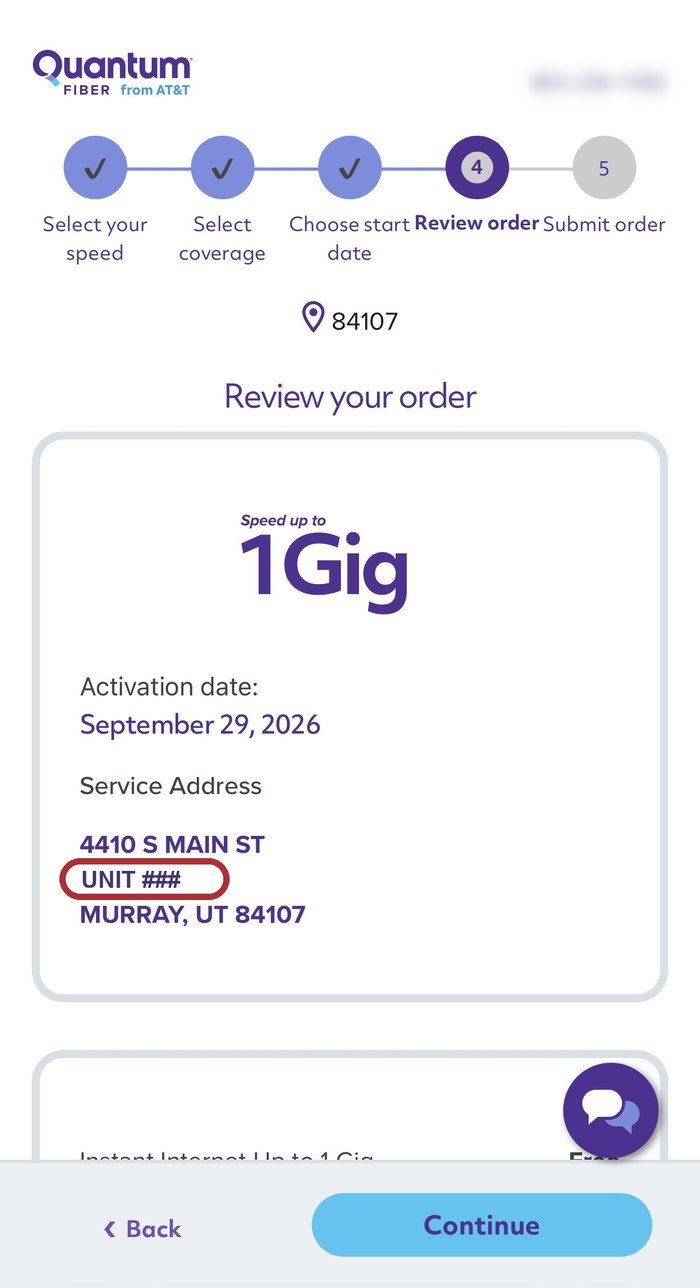
Make sure your unit number is correct. Tap Continue.
- 7
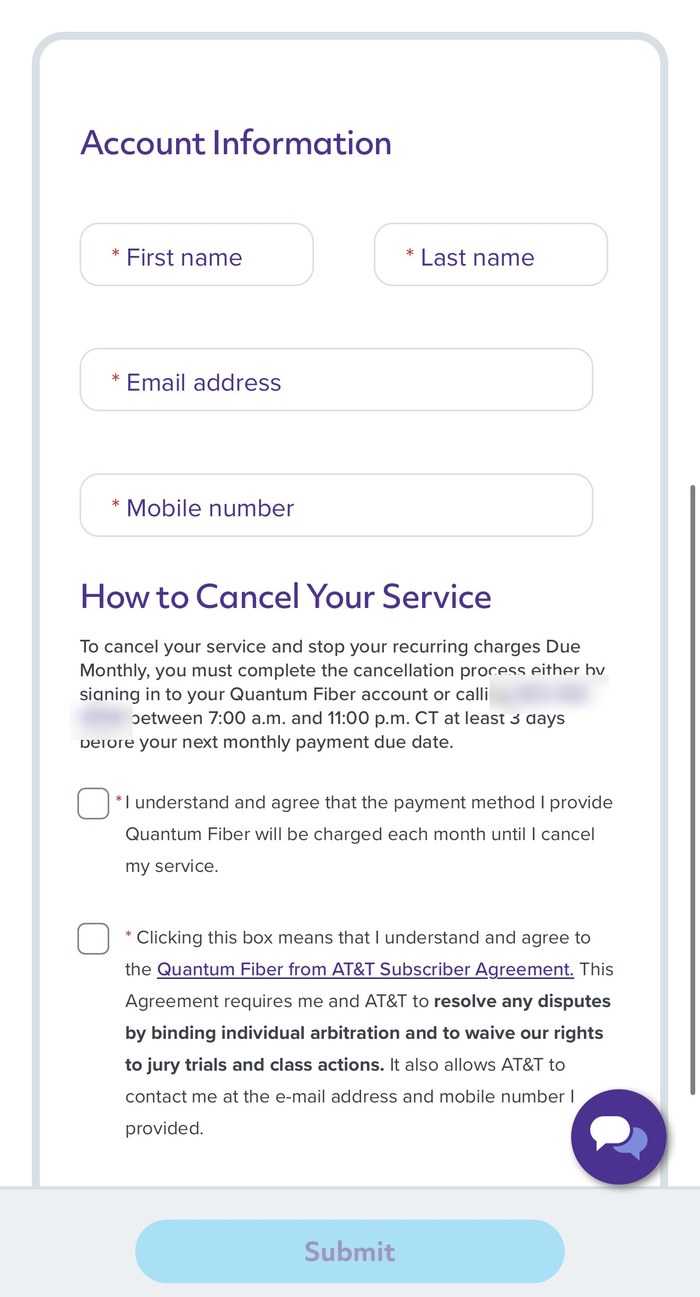
Enter your name, email and mobile number. Check both boxes, then tap Submit.
Submit is gray? A field is empty or a box isn't checked.
- ✓
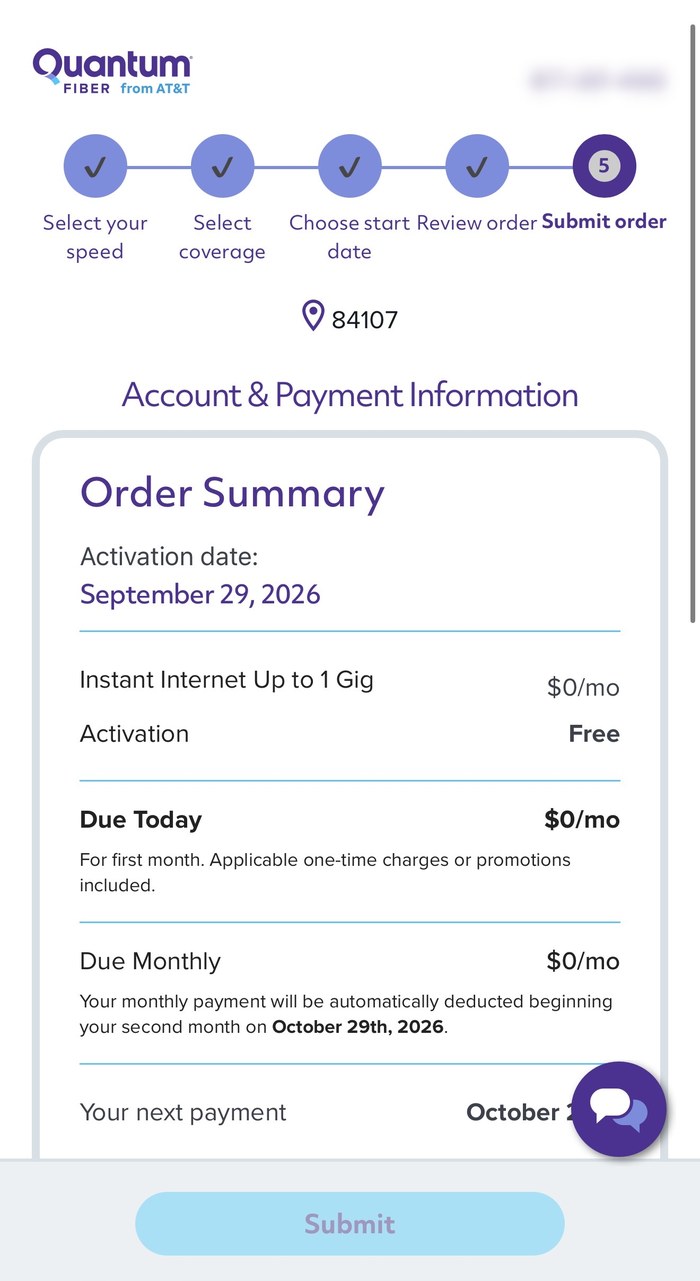
You'll see $0 due today and $0 monthly. That's normal. 1 Gig is included in your media package. Quantum Fiber will send you a welcome email.
Part 2: Create your passwordcheck your email
- 8
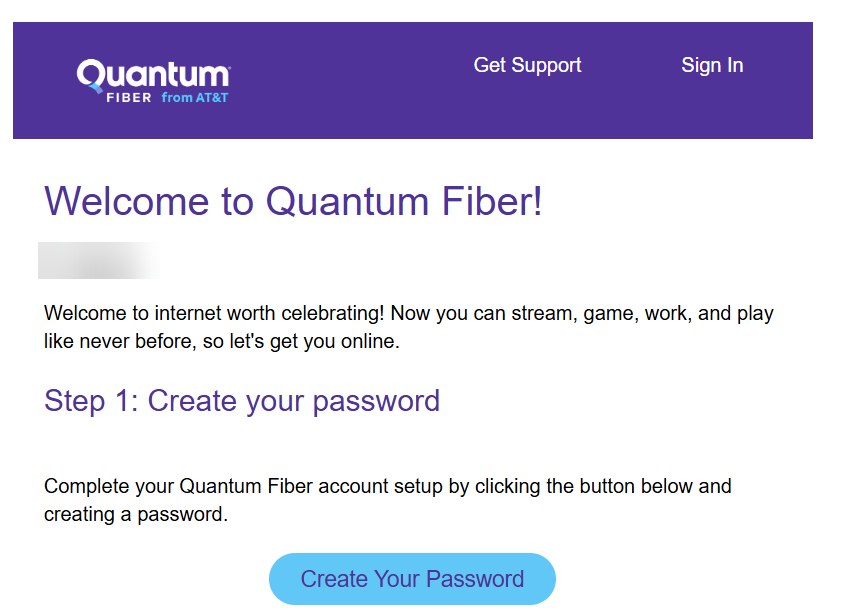
Open the Welcome to Quantum Fiber! email and tap Create Your Password.
No email? Check your spam or junk folder.
Part 3: Set up your Wi-Fiin the Quantum Fiber app
- 9
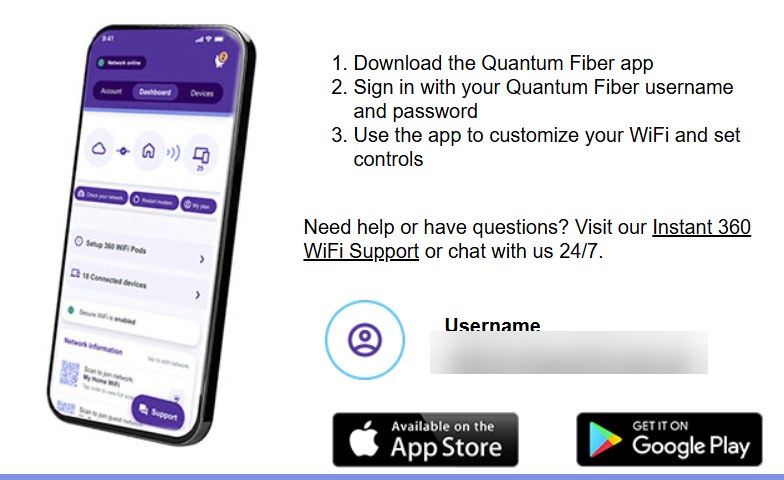
Download the Quantum Fiber app and sign in. Your username is the email you signed up with.
- 10
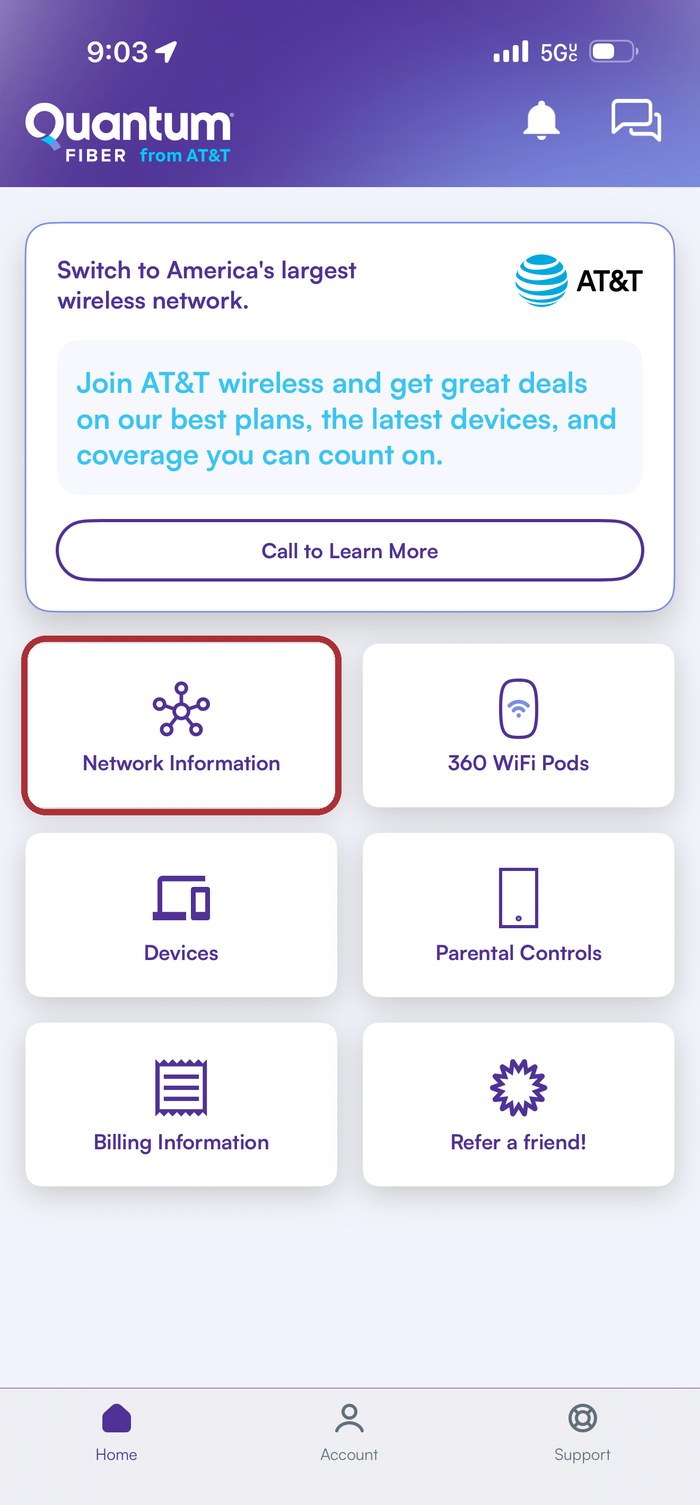
Tap Network Information. (Skip the AT&T ad at the top.)
- 11
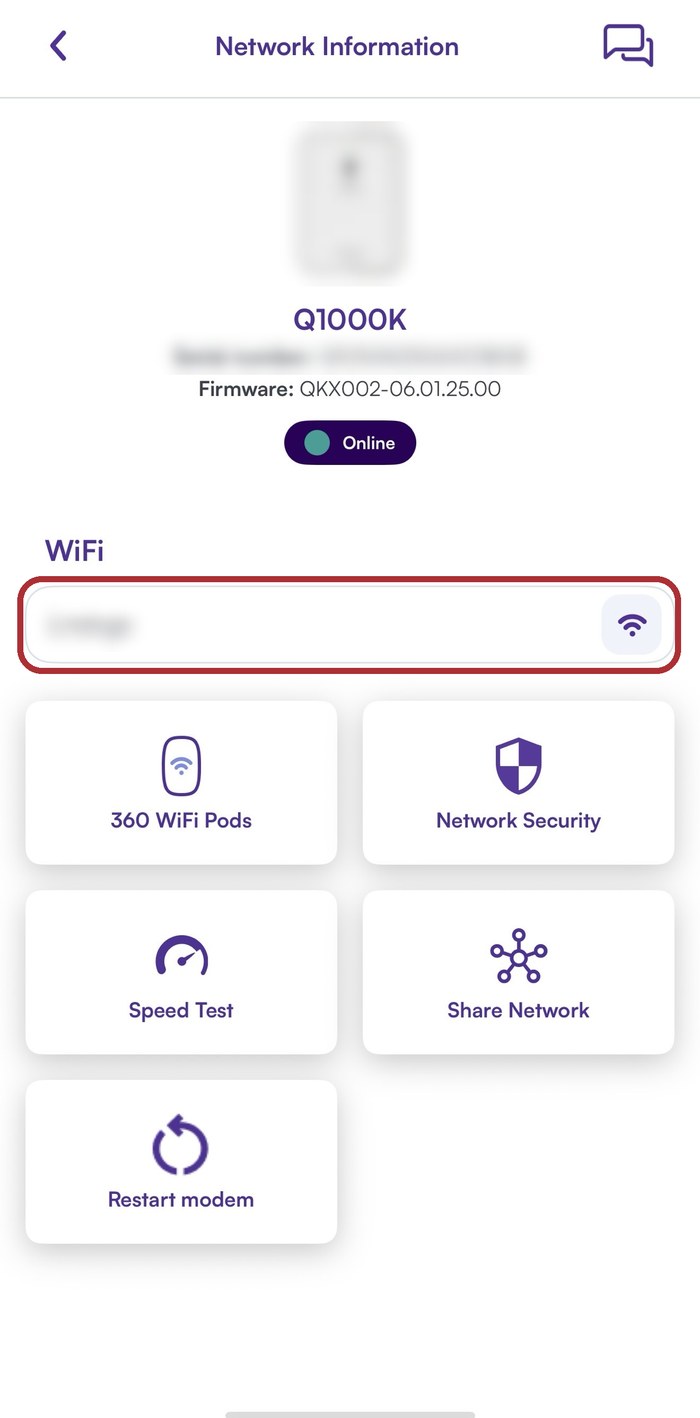
Type your new Wi-Fi name and password, then tap Save. Wait a few seconds.
- 12
You're online! Connect your phone, laptop and TV to your new Wi-Fi name using your new password.
Also in the app
Speed Test: check your speed.
Parental Controls: limits for kids' devices.
Share Network: a QR code so guests can join.
Devices: see what's connected.
Troubleshooting
- The Submit button is gray
- Fill in every field and check both boxes.
- You can't find your unit in the list
- Contact the Reverie leasing office.
- The welcome email never came
- Check spam/junk, and make sure your email was typed correctly.
- Your phone dropped off Wi-Fi after you saved
- That's normal. Join your new Wi-Fi name with your new password.
- Internet is slow or not working
- In the app, go to Network Information → Restart modem and wait a few minutes.
Still need help? Chat with Quantum Fiber 24/7 in the app (chat icon, top right) or at quantumfiber.com.
Questions about your apartment? Contact the Reverie leasing office.